Default IP Addresses | Router Network
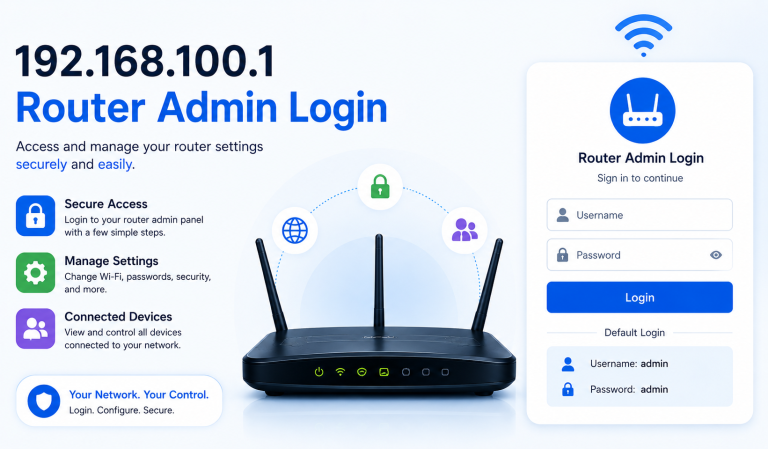
Managing your Wi-Fi router starts with knowing its default IP address — the gateway that lets you log in to the admin panel, change settings, or secure your network.
Below you’ll find a complete, verified list of router IP addresses used by top brands, including D-Link, TP-Link, Netgear, Cisco, and more.
Each brand may use multiple IP addresses or domain-based login pages, depending on the model or firmware version.
If one doesn’t work, try another from the same brand list — or check the label on the back of your router.
Router IP Address Directory by Brand
| Router Brand | Default Login IP / URL |
|---|---|
| D-Link | 192.168.0.1 • 192.168.1.1 • 192.168.10.1 • 192.168.0.50 • 192.168.0.10 • 192.168.1.254 • 192.168.15.1 • dlinkrouter • dlinkrouter.local • 192.168.8.254 |
| TP-Link | 192.168.1.1 • 192.168.0.1 • 192.168.0.254 • 192.168.1.253 • tplogin.cn • tplinkwifi.net |
| Netgear | 192.168.1.1 • 192.168.0.1 • 192.168.61.1 • 192.168.0.100 • 192.168.1.254 • 192.168.1.250 • 10.0.0.138 • routerlogin.net • www.routerlogin.net • www.routerlogin.com |
| ASUS | 192.168.1.1 • 192.168.50.1 • 192.168.72.1 • 192.168.29.1 • 192.168.2.1 • router.asus.com |
| Linksys | 192.168.1.1 • 192.168.0.1 • 192.168.15.1 • 192.168.16.1 • 192.168.101.1 • 192.168.1.245 |
| Belkin | 192.168.2.1 • 10.1.1.1 |
| ZyXEL | 192.168.1.1 • 192.168.10.1 • 192.168.100.1 • 192.168.3.1 • 192.168.0.1 • 192.168.200.1 • 192.168.212.1 |
| TRENDnet | 192.168.10.1 • 192.168.1.1 • 192.168.0.1 • 192.168.2.1 • 10.0.0.2 |
| Tenda | 192.168.0.1 • 192.168.1.1 • 192.168.2.1 |
| Buffalo | 192.168.11.1 • 192.168.13.1 • 192.168.0.1 • 192.168.1.1 • 1.1.1.1 |
| Edimax | 192.168.2.1 • 192.168.1.1 • 192.168.2.2 |
| Sagemcom | 192.168.1.1 • 192.168.254.254 • 192.168.0.1 • 192.168.1.254 • 192.168.2.1 |
| SMC | 192.168.2.1 • 192.168.0.1 • 10.0.0.1 • 192.168.2.10 |
| Arris | 192.168.0.1 • 192.168.1.254 • 192.168.100.1 • 10.0.0.1 • 192.168.7.254 |
| Actiontec | 192.168.0.1 • 192.168.1.1 • 192.168.2.1 • 192.168.1.254 • 192.168.254.254 |
| LevelOne | 192.168.0.1 • 192.168.1.1 • 192.168.123.254 |
| Huawei | 192.168.1.1 • 192.168.3.1 • 192.168.0.1 • 192.168.33.1 |
| EnGenius | 192.168.0.1 • 192.168.1.1 • 192.168.1.2 |
| Cisco | 192.168.1.1 • 10.0.0.1 • my.meraki.com • 192.168.1.254 • 192.168.0.1 |
| Technicolor | 10.0.0.1 • 192.168.0.1 • 192.168.1.1 • 192.168.1.254 • 10.1.1.1 |
How to Find Your Router’s IP Address
If none of the above addresses work, you can manually find your router’s IP address using the steps below:
For Windows:
Press Windows + R → Type cmd → Enter ipconfig → Check “Default Gateway.”
For macOS:
Go to System Preferences → Network → Advanced → TCP/IP Tab.
For Android:
Open Wi-Fi Settings → Connected Network → Advanced → Gateway.
For iPhone:
Open Settings → Wi-Fi → (i) next to your connected network → Check “Router.”
Why This List Is Useful
Knowing your router’s IP address helps you:
- Access the admin panel easily.
- Change Wi-Fi passwords or update your SSID.
- Improve network security by disabling remote access.
- Fix login errors and configure new devices.
Expert Tip
If your router’s default IP doesn’t open, try clearing your browser cache, disabling VPNs, or switching to another browser. Some routers also support domain-based access (e.g., tplinkwifi.net, routerlogin.net) instead of numerical IPs.
Final Thoughts
The IP addresses listed here are verified defaults provided by each manufacturer. They work for most models, though newer firmware may introduce variations. Always check your router’s manual or back label for the exact login address.
Whether you’re troubleshooting a connection or setting up a new router, having the correct default IP address ensures a smooth and secure setup process.