10.0.0.1 Wrong Password Loop: How to Solve
Last updated: June 2026
A 10.0.0.1 wrong password error usually means the credentials are not the current ones, autofill is inserting an old password, or a stuck cookie reloads the form.
Why the Login Keeps Rejecting You
The loop happens when the gateway rejects your details and reloads the same login page. You land exactly where you started. Most of the time the cause is simple: the password is not the current one, or your browser keeps filling an old saved value. A stuck session cookie can also bounce you back.
The two biggest causes:
- You are entering details that are not the current ones.
- Autofill is inserting an old saved password.
A fresh incognito window clears that. It starts with no cookies and no saved passwords.
Quick Checks Before You Reset
Rule out small mistakes before you assume the password is lost. Most rejections are a caps-lock slip, a stray copy-paste space, or autofill putting back an old value. Many people also type the WiFi password instead of the admin password, which the gateway will refuse every time.
- Is Caps Lock off? Passwords are case-sensitive.
- Is autofill inserting an old password? Clear the field and type it manually.
- Are there stray spaces from a copy-paste?
- Is the page really loading, not a “can’t be reached” error?
- Are you typing the admin password, not the WiFi password? They differ.
Does the page struggle to open between tries? The 10.0.0.1 not opening guide rules out connection causes first.
What Are the Correct Default Credentials?
If you never changed the password, the gateway is probably still on factory defaults. On most Piso WiFi boards and home routers that means the username admin with the password admin, or a blank password. Type these by hand before trying anything more drastic.
| Field | Common Default |
|---|---|
| Username | admin |
| Password | admin, or blank (no password) |
Never trust anyone selling a “universal” password. These addresses sit on a private network, so no master key exists. If the genuine defaults are rejected, the password was changed, and you will need to reset.
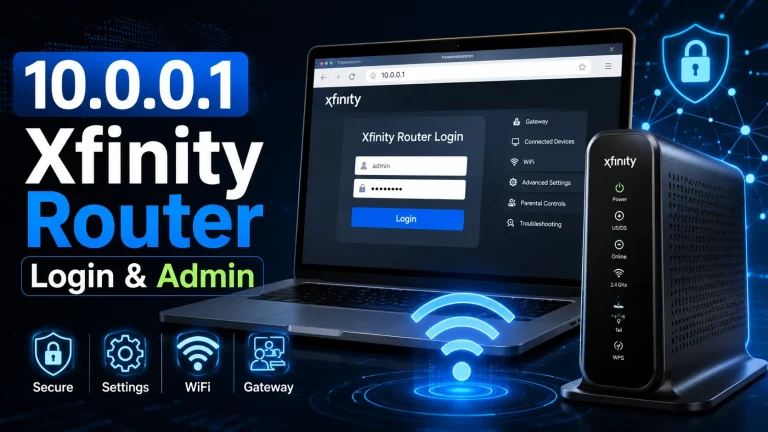
The 10.0.0.1 admin login page shows the exact login fields.
Caps, Autofill, and Lockouts
If the basics check out but the loop continues, the problem is usually saved data or a brief lockout. Work through the steps below in order. An incognito window strips out autofill and old cookies, which fixes the rejection in most cases without touching your settings.
- Open an incognito window to disable saved-password autofill.
- Type the username and password by hand, watching the capitalisation.
- If the panel locked you out after failed tries, wait a minute or two.
- Clear cookies for the site if the form keeps reloading.
- Try a second browser to rule out a corrupted profile.
When a Factory Reset Is the Answer
Did the genuine defaults fail with the basics all correct? Then the password was changed, and there is no way to read it back. The clean, legitimate fix is a factory reset, which restores admin/admin or a blank password. Hold the device’s reset button for 10 to 30 seconds.
The full, safe procedure is in our recover a forgotten 10.0.0.1 password guide.
After resetting, set a fresh password and re-apply your time rates and SSID. A reset wipes everything.
Inherited a Password You Never Set?
Second-hand machines often arrive with a password the previous owner never shared. There is no shortcut here. Ask the seller first, and check the box for a slip or sticker. If nobody can supply it, a factory reset is the only honest route back in.
Change the password the moment you take over a machine. It stops the old owner logging in remotely and locking you out later.
Keeping Future Logins Smooth
Once you are back in, save the new password in a secure note and keep it separate from the WiFi password. Reusing one for both is a common mistake that causes future confusion. A quick log-out and log-in confirms the new password actually saved before you walk away.
Hit a different error later, like the page not opening at all? The can’t reach 10.0.0.1 checklist covers connection problems, which look similar but need different fixes.
Frequently Asked Questions (2026)
Why does 10.0.0.1 keep saying wrong password?
Either the credentials aren’t the current ones, autofill is inserting an old password, or a stuck cookie reloads the form. Try an incognito window and type admin/admin (or a blank password) manually.
What's the real default password for 10.0.0.1?
On most Piso WiFi boards and routers it’s admin with username admin, or no password at all. If those are rejected, the password was changed.
How do I get in if the defaults don't work?
Perform a factory reset to restore the defaults. Hold the device’s reset button for 10–30 seconds, then log in with admin/admin or a blank password.
Could autofill be causing the loop?
Yes, very often. Saved-password autofill can inject an old credential. Open a private window or clear the field and type the password by hand.
Did I get locked out for too many attempts?
Some panels briefly block logins after several failures. Wait a minute or two, then retry with the correct details in a fresh window.