How to Pause Piso WiFi Time on 10.0.0.1 (Mobile)
Last updated: June 2026
To pause your Piso WiFi time, stay on the Piso WiFi network, open http://10.0.0.1 in your phone browser, and tap Pause.
Why Should You Pause Your Piso WiFi Time?
Piso WiFi time counts down the moment it starts. It keeps ticking even when your phone is locked. Pausing freezes that countdown so unused minutes are not lost. You resume later with the same balance. For a regular user, this can nearly double the value of every coin.
Say you buy 30 minutes but only browse for 10. Without pause, the other 20 minutes vanish. Over a week of small breaks, those saved minutes add up to real money. That is why pause is the best habit a daily user can build.
Pausing Piso WiFi on Mobile
Stay connected to the Piso WiFi network, open http://10.0.0.1 in your browser, and tap the Pause button. Your countdown freezes at once and a message confirms your time is on hold. On most machines this takes a single tap and needs no app.
- Make sure your phone is still on the Piso WiFi network.
- Open your browser and go to http://10.0.0.1.
- The portal shows your remaining time and a Pause button.
- Tap Pause. Your countdown freezes.
- You will see a message that your time is on hold.
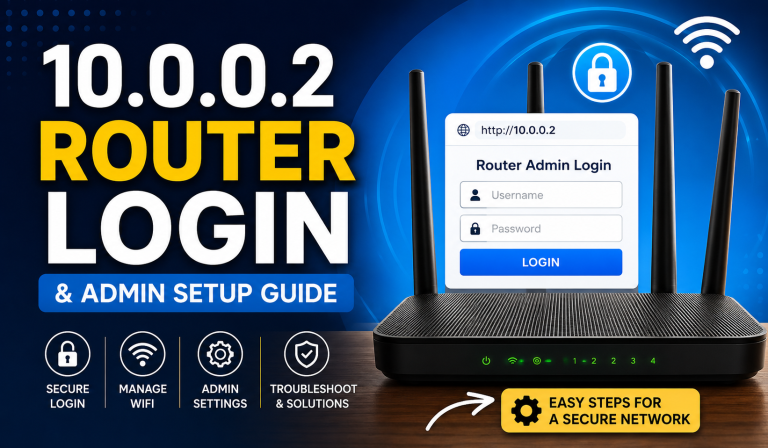
If the portal will not open, reconnect and type the address with http, not https. The 10.0.0.1 Piso WiFi login guide covers connection issues.
One surprise: after you tap Pause, your internet stops on purpose. That is the feature working. It disconnects you so no minutes are spent. The 10.0.0.1 page still opens because it is served locally, so you can return to resume.
How Do You Resume Your Paused Time?
Reconnect to the same Piso WiFi network, open http://10.0.0.1, and tap Resume. Your saved balance picks up exactly where it left off. The button is sometimes labelled Continue or Start. Always resume from the same phone you paused on.
- Reconnect to the same Piso WiFi network.
- Open http://10.0.0.1 again.
- Tap Resume (sometimes called Continue or Start).
- Your saved balance picks up where it left off.
Your paused time is tied to your device. The machine knows you by your private network address. Switching phones loses the balance. For how pause works across boards, see our Piso WiFi pause guide.
What If There Is No Pause Button?
Not every machine has pause. The owner turns it on in the admin panel. If the button is missing, greyed out, or labelled differently, the cause is usually a setting or an expired session. Check the list below to spot which case matches yours.
- No button at all: the owner disabled pause. You can ask them to turn it on.
- Button greyed out: you may have no active time, or your session expired.
- Page will not load: see our Piso WiFi login problems guide.
- Different label: some boards call it “Hold” or “Stop”, or show a pause icon.
Are you the owner? Complete the 10.0.0.1 admin login and find the pause toggle. Enabling pause is good for business, since customers feel safe buying bigger time blocks. Also check how long time can stay paused, because some boards expire it after a few hours.
Stretching Your Paid Minutes
The trick is to pause early and buy smart. Tap Pause the moment you stop browsing, not minutes later. Let downloads finish, then freeze your time. Buy vouchers in bulk for a lower hourly rate. These small habits stack up into real savings every week.
| Habit | Why It Saves Time |
|---|---|
| Pause before you step away | Stops the countdown the moment you stop browsing. |
| Download, then pause | Let files finish, then freeze your time. |
| Buy vouchers in bulk | Cheaper per hour than coins. |
| Resume from the same phone | Your balance is tied to that device. |
Pair the pause habit with a prepaid voucher for the cheapest way to use Piso WiFi. A voucher gives a fixed time block at a lower hourly cost. Because you can pause it, none of those minutes are wasted. It is ideal for students and remote workers who dip in and out all day.
Frequently Asked Questions (2026)
How do I pause my Piso WiFi time on my phone?
Stay connected to the Piso WiFi network, open http://10.0.0.1 in your browser, and tap the Pause button. Your remaining time freezes until you resume.
How do I resume paused Piso WiFi time?
Reconnect to the same network, open 10.0.0.1 again, and tap Resume or Continue. Your saved balance picks up from where you paused.
Why is there no pause button on my Piso WiFi?
Pause is an option the owner enables in the admin panel. If it is missing, the operator has turned it off – you can politely ask them to enable it.
Does paused time expire?
On most machines paused time is held tied to your device. Resume from the same phone, and check with the owner whether they set any hold limit.
Can I pause from a different phone than I paid on?
No. Your time balance is tied to the device that paid, so you must pause and resume from the same phone connected to that Piso WiFi network.